
How to Send Handwritten Cards In Happy Grasshopper
Handwritten Cards Send Guide
Looking to make a real impression? With Happy Grasshopper’s Handwritten Cards feature, you can send authentic, heartfelt messages—no stamps, envelopes, or trips to the post office required.
Step 1: Go to Handwritten Cards
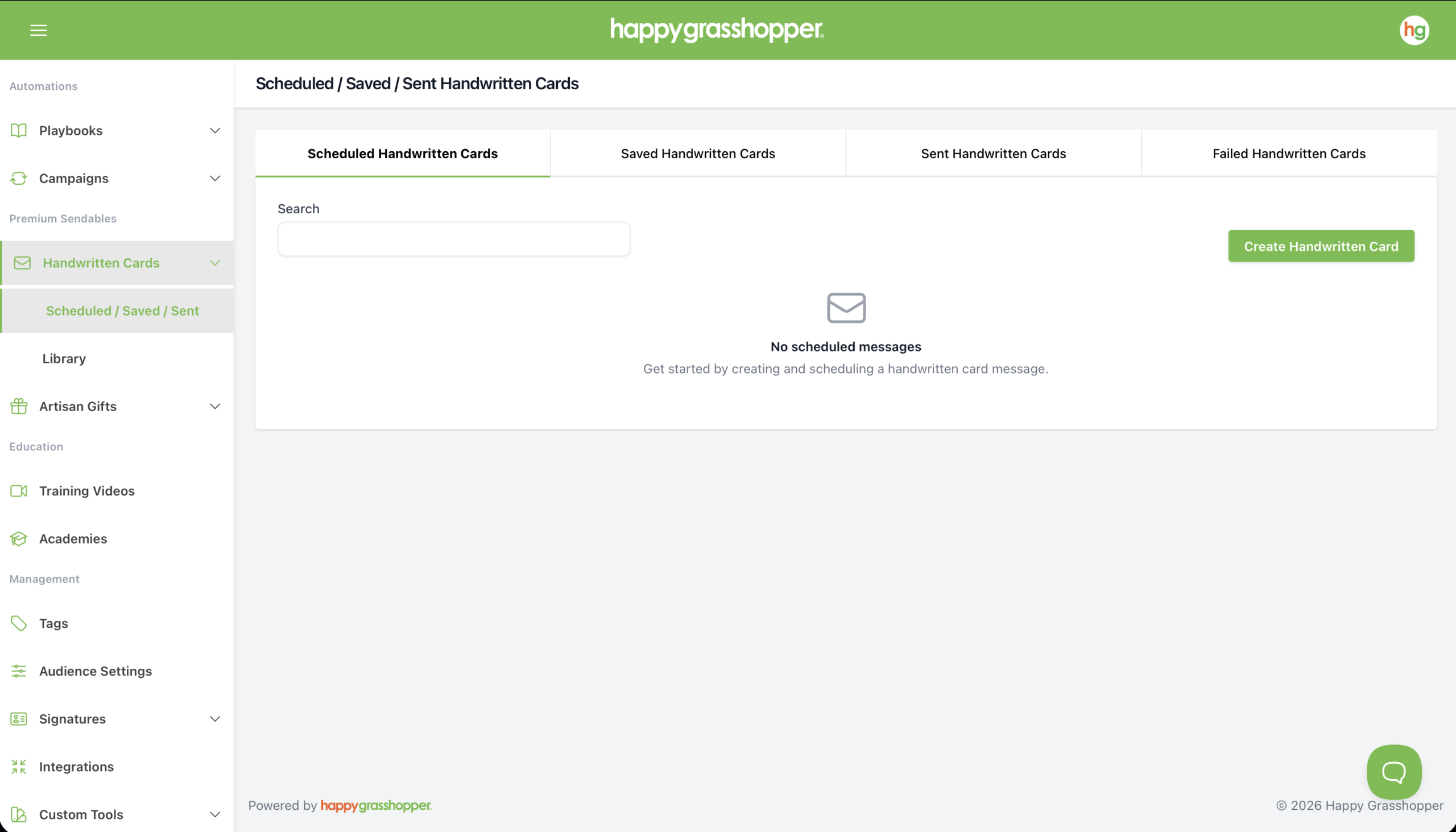
Navigate to Premium Sendables in the left-hand menu, go to the Handwritten Cards tab and click Create Handwritten Card.
Step 2: Choose Your Card
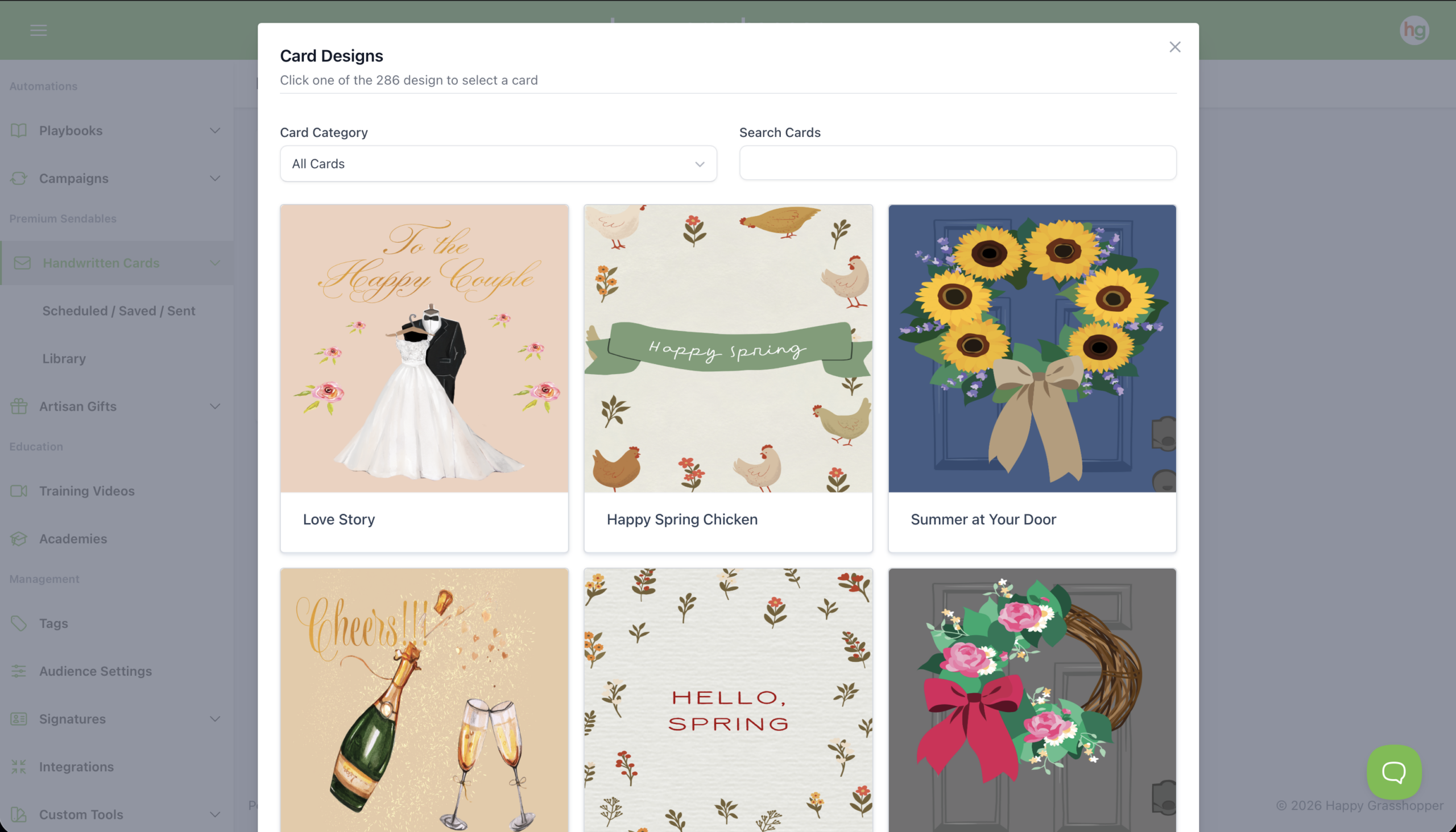
Browse through available card templates or use the category filter to narrow your search. You’ll see a preview of the card and details like price and postage.
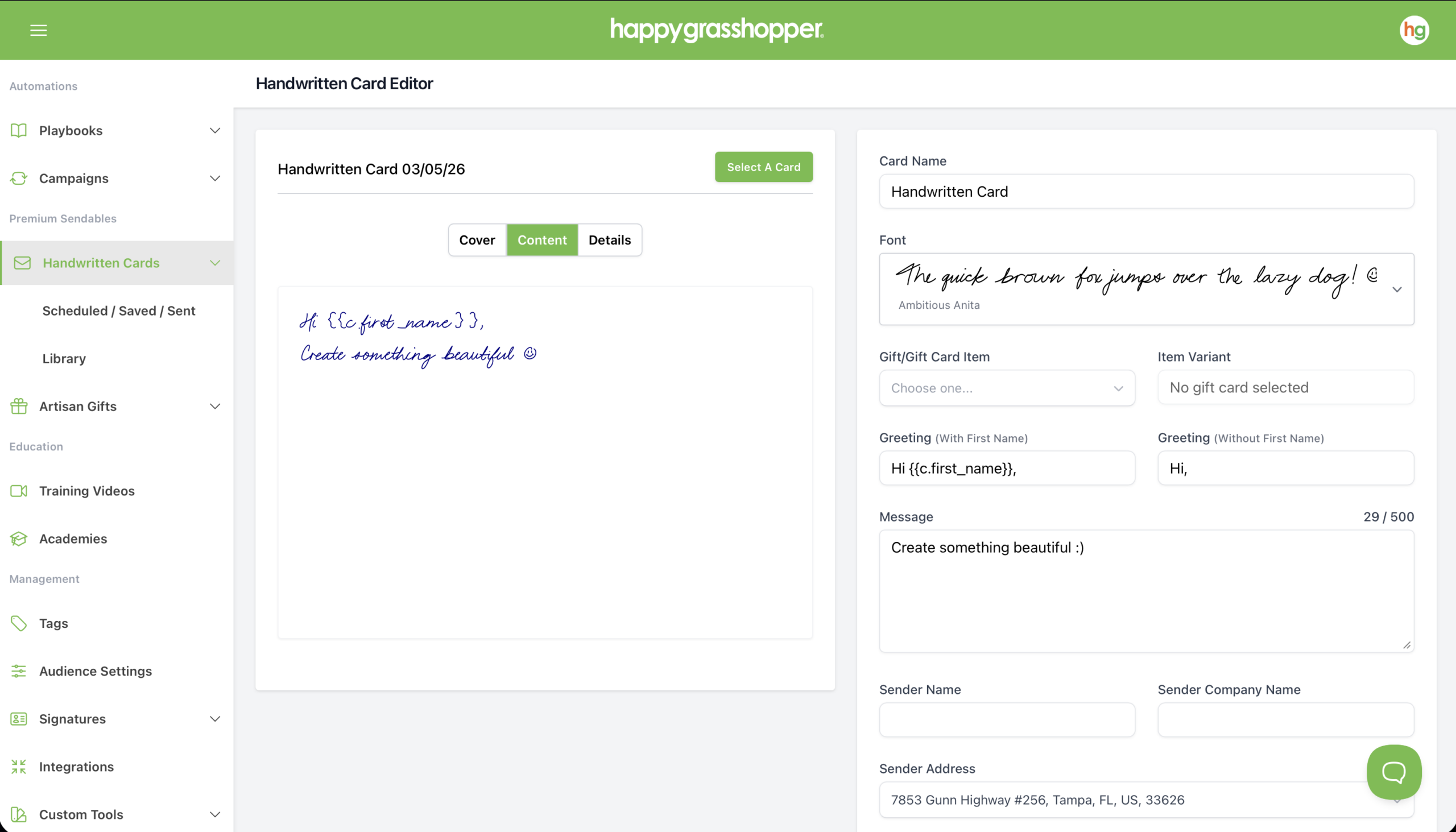
Step 3: Write Your Message
Step 4: Schedule Your Card
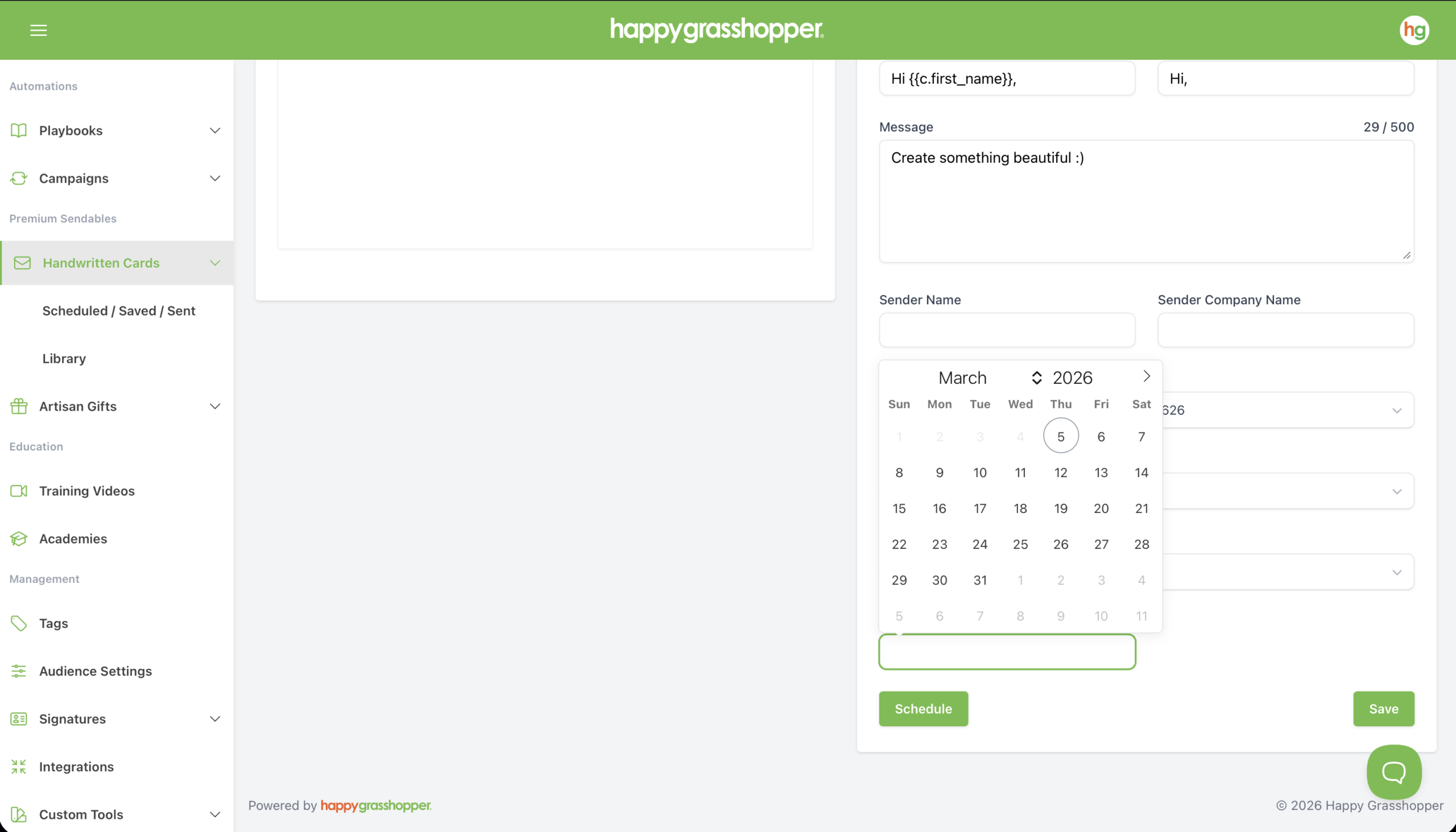
Once your card is ready, choose a send date and time. This determines when your card will be sent.

Next
See Your Reporting