
How to Search Your Contacts In Happy Grasshopper
COntact Search Guide
Step 1: Go to Search Contacts
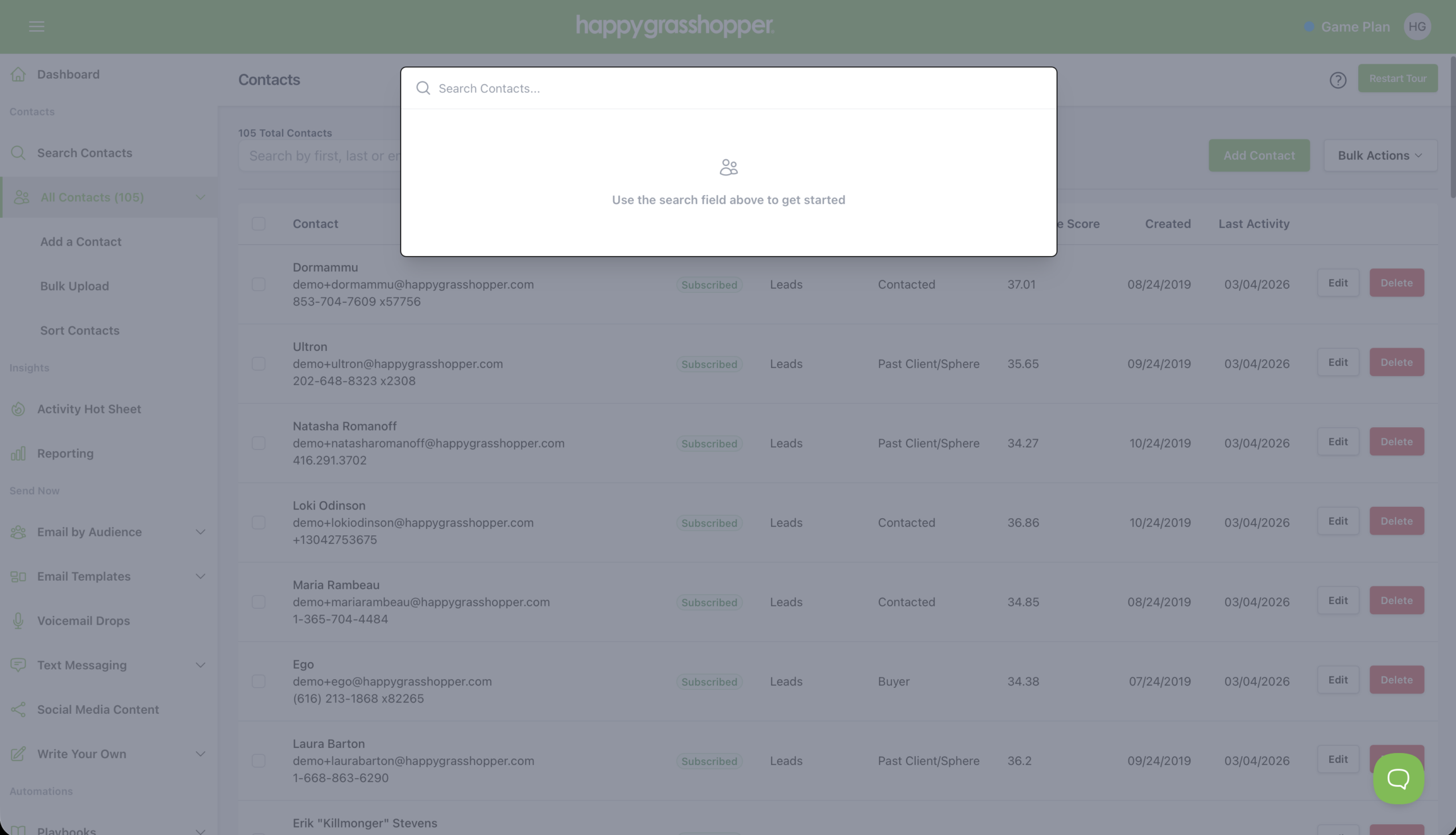
Head to the left-hand sidebar, go to Contacts, and click Search Contacts.
Step 2: Start Typing Your Search
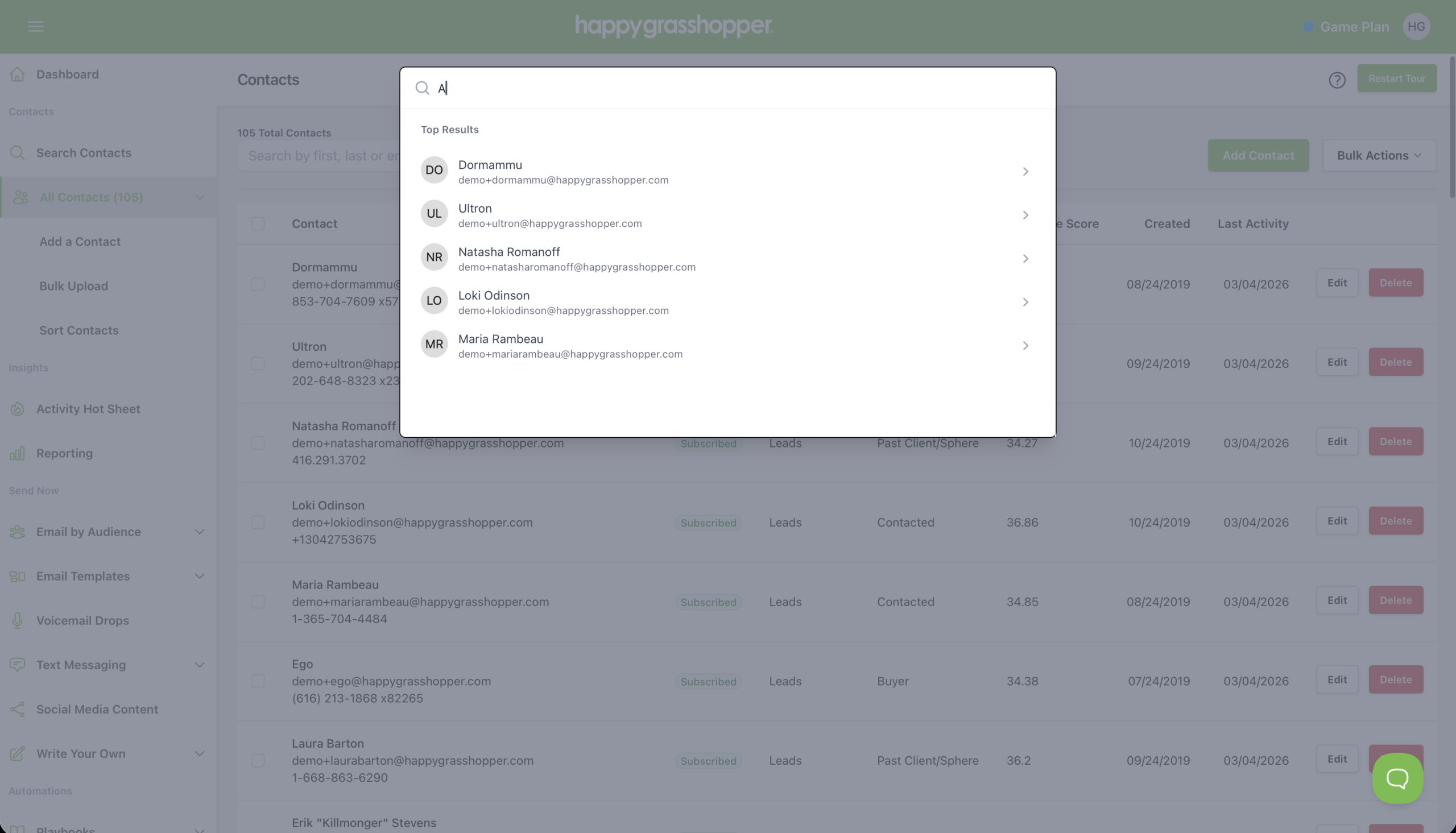
Begin typing directly into the search bar. You can search using:
As you type, results appear instantly in real time, displaying matching contacts from your database.
This makes it easy to find the right person even if you only remember part of their name or email.
Step 3: Review the Search Results
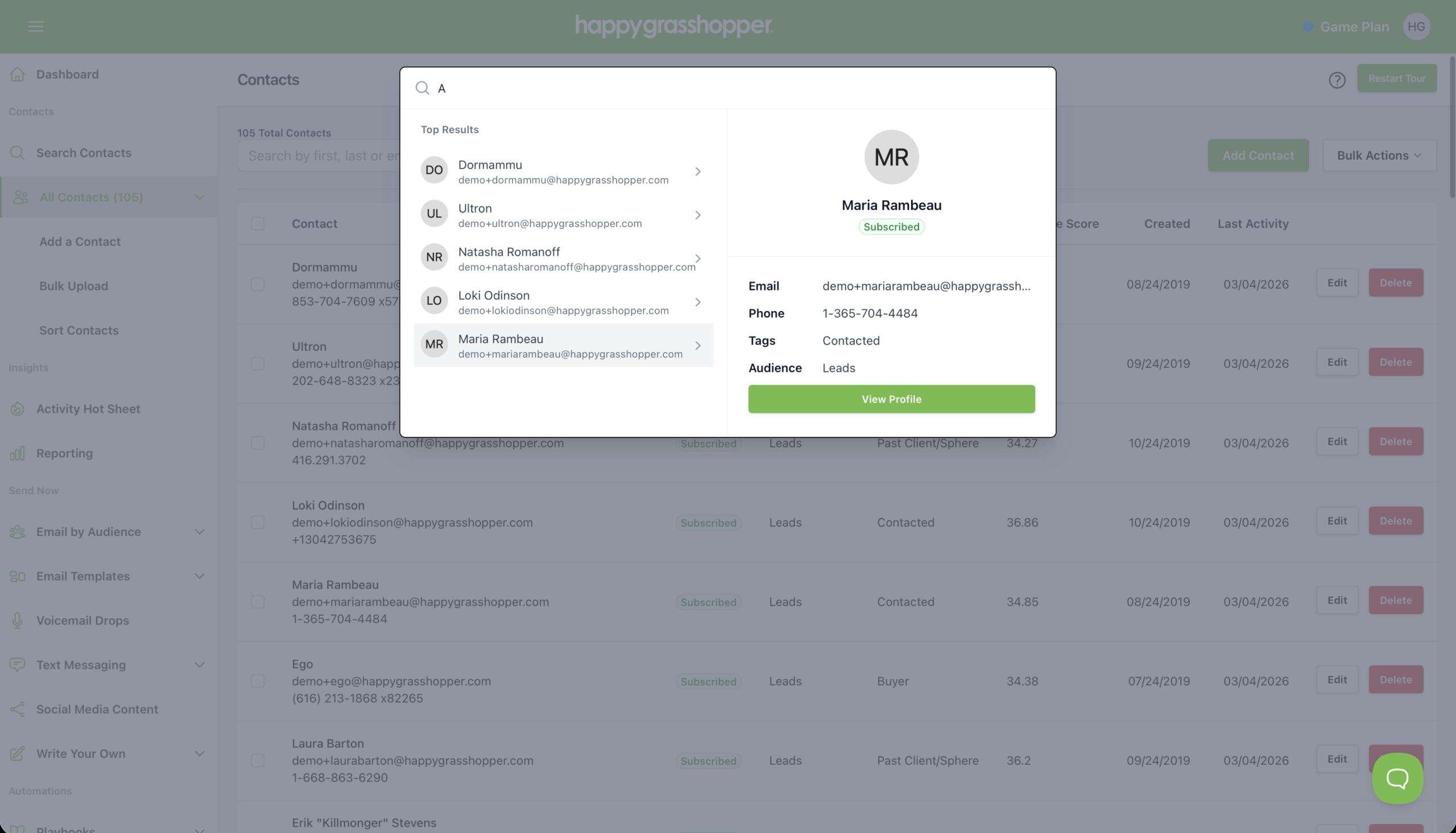
Your results will appear in a list under Top Results. Each result displays basic contact details such as the person’s name and email address.
When you click a contact from the list, a preview panel opens showing additional details, including:
This quick preview allows you to confirm you’ve found the right contact before opening their full record.
Step 4: Open the Contact Profile
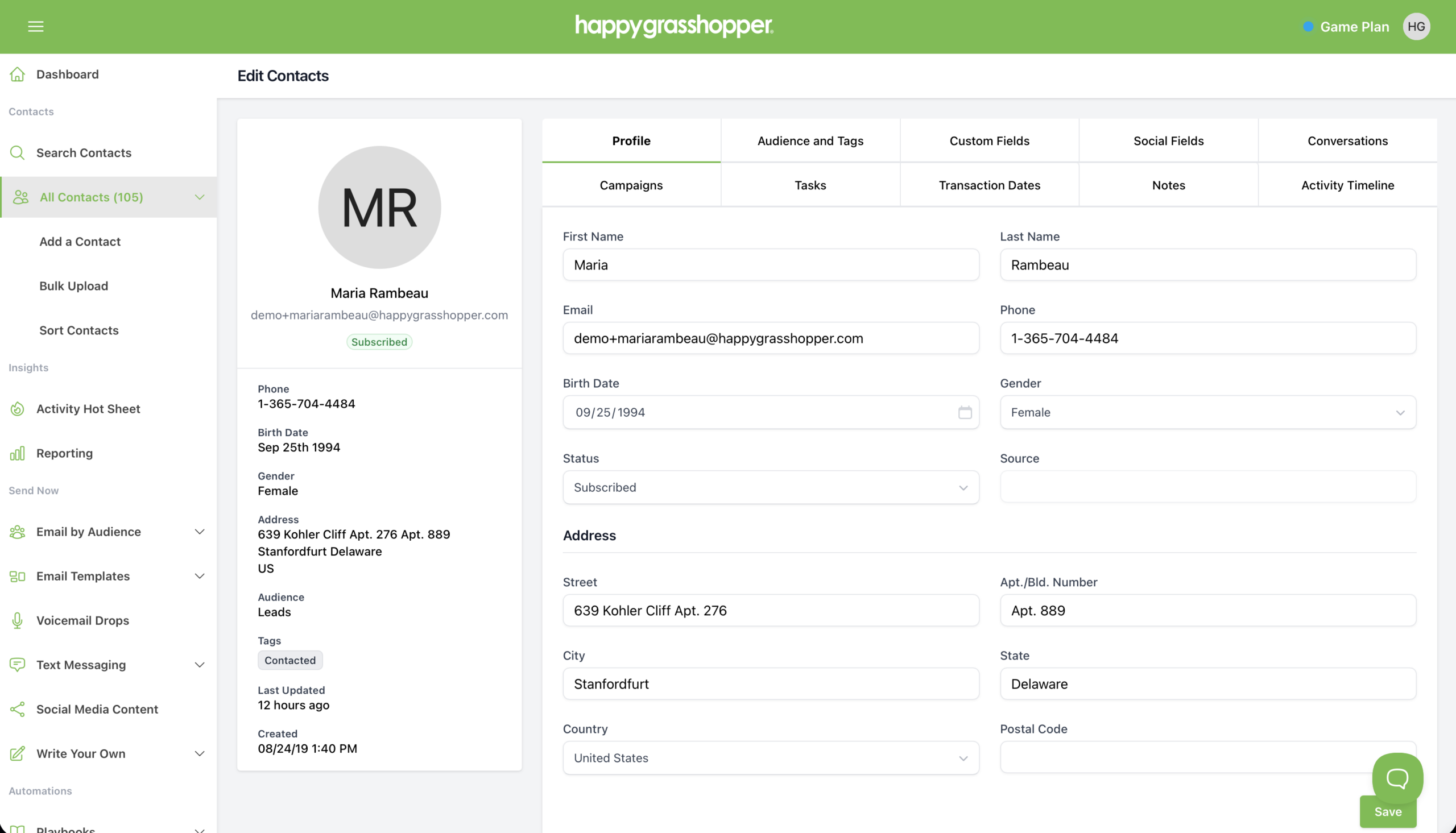
To access the full contact record, click View Profile inside the preview panel.
From the contact profile you can:
This makes it easy to take action immediately after locating a contact.
Contact search is one of the fastest ways to navigate your Happy Grasshopper database. Whether you’re looking for a specific client, checking contact details, or preparing to send a message, the search tool helps you find exactly who you need in seconds.
Next
Filter Your Contacts