

Happy Grasshopper + BoldTrail
connect and sync your data
1
Sign in to BoldTrail
The contacts pulled into Happy Grasshopper will come from whichever account is currently logged in.
2
Create a new API Key
Set up a new API Key, name it something like Happy Grasshopper. Make sure to copy your API key right away, it might not show up later.
3
Sign in to Happy Grasshopper
4
Go to Integrations
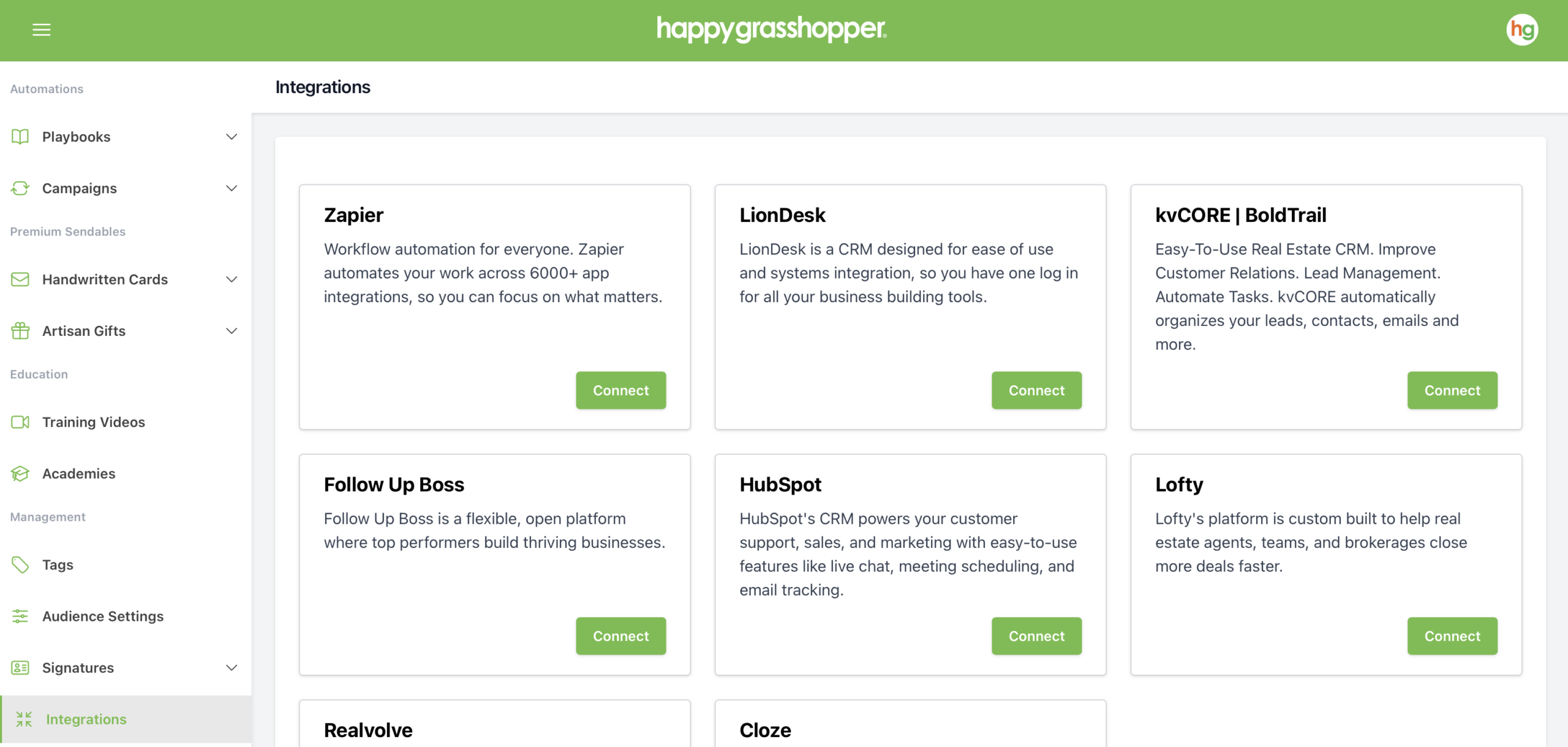
In Happy Grasshopper's left-hand menu, scroll down and click Integrations.
5
Connect BoldTrail
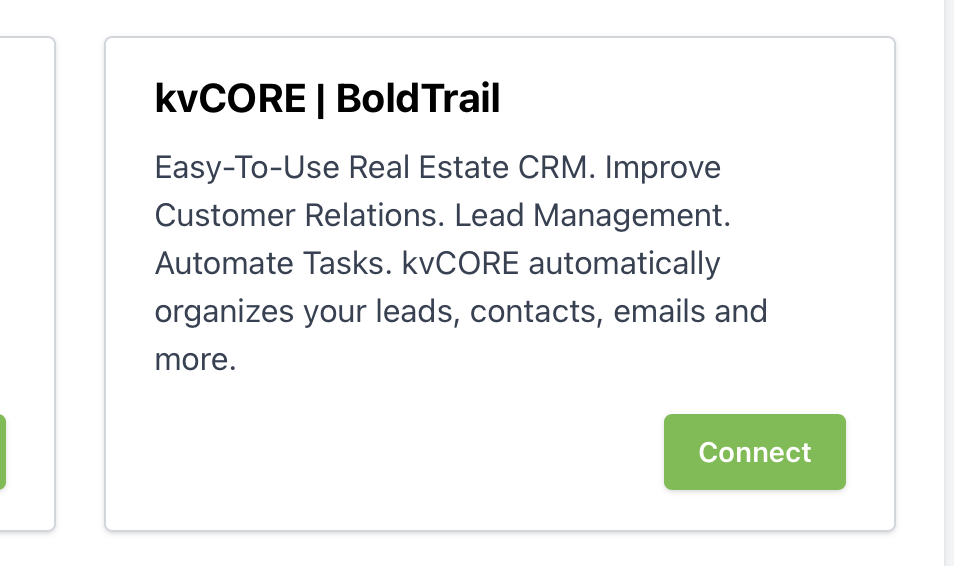
In the Integrations page, locate the BoldTrail panel and click the Connect button .
6
Save your API Key
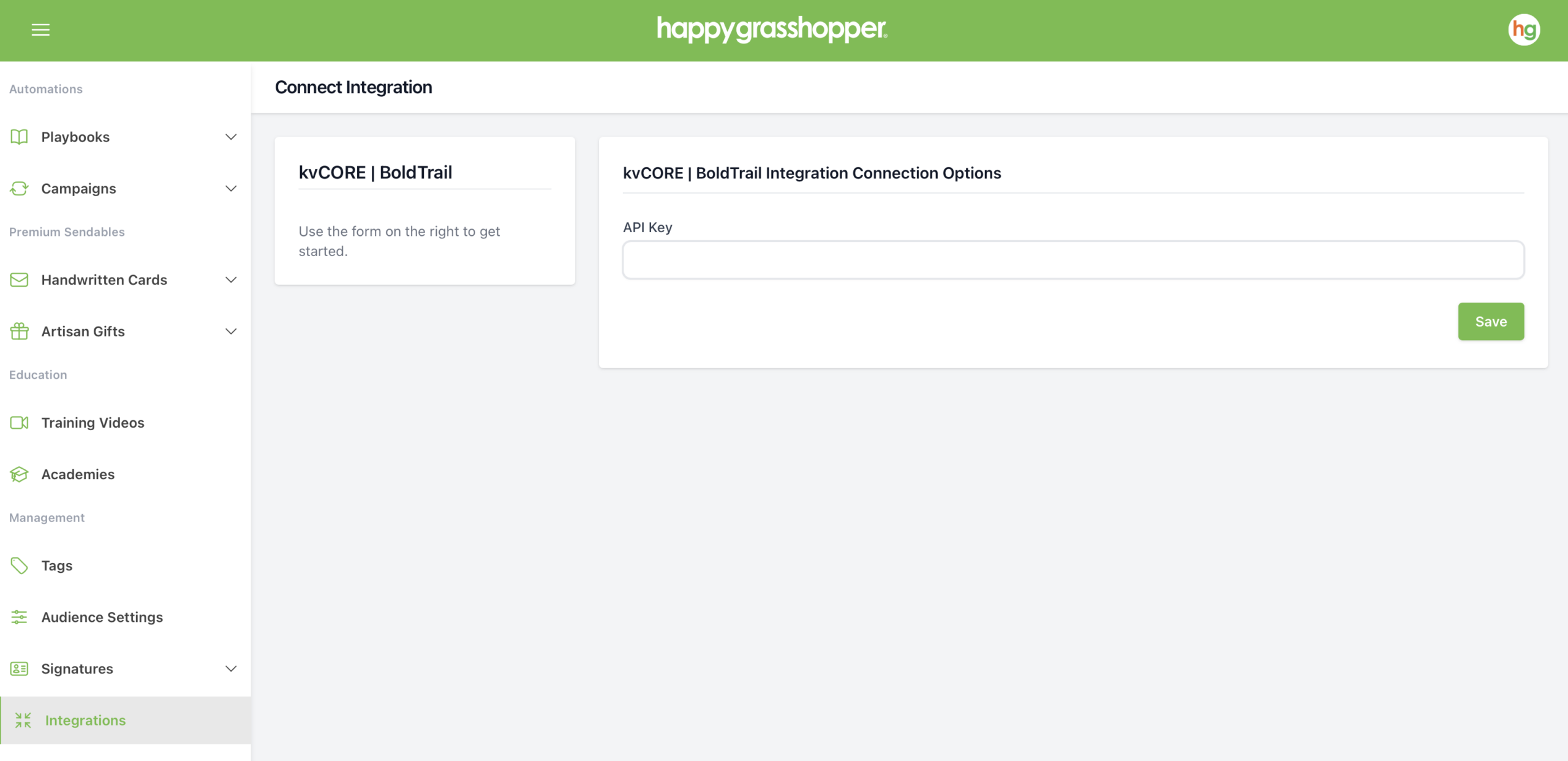
Enter your API key in Happy Grasshopper and click Save.
7
You’re All Set!
You can now close the authentication tab. BoldTrail is connected to your Happy Grasshopper account and your data will sync over.